Google pushed a Chrome emergency update for one critical flaw. A bad web page could break out of your browser. Restart Chrome before you log in to your site.
On 23 November 2026, Google published a Stable Channel update for desktop Chrome. Srinivas Sista signed the post. It is a short advisory. The update includes one security fix. Google rated that flaw Critical. The identifier is CVE-2026-134401. Google describes it as improper input validation in Variations. Google reported it internally on 28 August 2026.
The fixed builds, according to Google, are 158.0.8127.88 or 158.0.8127.89 for Windows and Mac, and 158.0.8127.88 for Linux. Google says the rollout will take place over the coming days and weeks. It also says access to the bug details may stay restricted until most users have the fix.
This is not the Chrome 158 release that landed a few days earlier. IT-Connect, writing on 24 November, says Chrome 158 reached the stable channel on 17 November. Cybersecurity News, also on 24 November, says that first Chrome 158 release fixed 204 security flaws. Anyone who installed that earlier build still needs this newer one. This is also not the mid-November Chrome update that patched an exploited XML zero-day. That was a different flaw, on a different day.
What the flaw can do
Google's own notes are brief. The National Vulnerability Database record, which I opened through NVD's public API on 24 November, repeats the official description. Improper input validation in Variations, in Chrome before 158.0.8127.88, allowed a remote attacker to potentially execute arbitrary code outside the sandbox via a crafted HTML page. The Chromium severity is Critical.
IT-Connect explains Variations in plain language. It is Chrome's experimentation system. Google uses it to test a feature with some users, compare two behaviors, or turn a feature off quickly. The browser regularly fetches a configuration file, called the seed, from a Google server. IT-Connect notes that critical Chrome flaws more often show up in the V8 JavaScript engine. This time the component is different. IT-Connect also says a crafted web page could run code outside the sandbox. Google, it adds, has not explained how a web page reaches Variations. I will not pretend I know that path.
The US Cybersecurity and Infrastructure Security Agency scored the flaw 9.6 out of 10. IT-Connect reported that figure. The NVD record I opened lists the same 9.6 score, with the CVSS 3.1 vector AV:N/AC:L/PR:N/UI:R/S:C/C:H/I:H/A:H, as a secondary metric from CISA's automated scoring. NVD still marked the record as awaiting analysis.
No attacks have been reported
I want to say this plainly. No attacks have been reported.
Google's 23 November release notes do not mention any exploitation in the wild. IT-Connect says neither Google nor CISA reports active exploitation. Cybersecurity News says the same about Google's notes. In the NVD record, CISA's coordinator assessment lists exploitation as none. That is the public picture on 24 November. It is not a promise that nobody will try.
Cybersecurity News also makes a useful limit. Running code outside the sandbox is serious. It does not, on its own, prove that an attacker would get full control of the device. I will stay inside that limit.
IT-Connect has a practical warning anyway. When Google ships an update that fixes only one vulnerability, that is not a good sign. You should not wait for a headline about attacks.
Why this matters if you run a site
This is a browser flaw, not a hole in your website. A website scan will not tell you whether your copy of Chrome is patched. I will say that again later, because it is easy to mix the two up.
You still have a reason to care. If you run a WordPress site, a shop, or a hosting account, you log in through a browser. You probably do that in Chrome. The risk here is a malicious page, not a bug in your theme. If that page can run code outside the browser sandbox, the session you use to reach wp-admin, your host panel, or your store dashboard is sitting on the same machine.
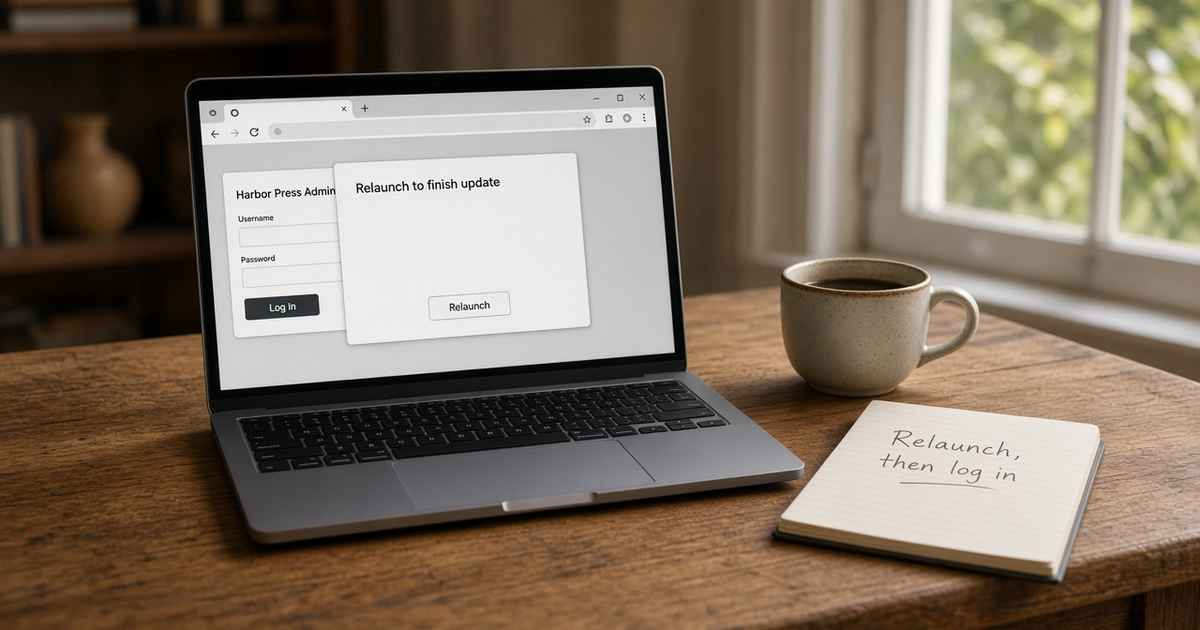
So the order matters. Update Chrome. Restart it. Then log in to the site.
What to do now
I would start with these checks.
1. Check the exact build number
Open Chrome. Click the three-dot menu, then Help, then About Google Chrome. You want at least 158.0.8127.88 on a desktop. Windows and Mac also have a fixed build at 158.0.8127.89. Google lists the Linux fix as 158.0.8127.88. If your organization uses the Extended Stable channel, IT-Connect says the fixed build is 156.0.8078.114.
Cybersecurity News notes that the National Vulnerability Database lists Chrome versions before 158.0.8127.88 as affected. The full build number matters. Chrome 158 on its own is not enough if you are still on the first 158 release.
2. Relaunch, then check again
Chrome often downloads an update in the background. That download does not protect a window you have already left open. IT-Connect and Cybersecurity News both say the new version applies after you restart the browser. Use the Relaunch button on the About page. Then open About again and confirm the build number.
Cybersecurity News has a point for anyone who manages other people's computers. The version that is actually running is a better reference than whether the update was offered. Google is rolling this out over days and weeks. Some devices will still be waiting.
IT-Connect also reports an Android build, Chrome 158.0.8127.92, which it says includes the same security fixes as the desktop update, according to Google. It says Chrome for iOS was updated the same day, to 158.0.8127.86, but Google only mentioned stability and performance improvements there. I have not treated the iOS build as a fix for this flaw.
3. Only then open your site admin
After Chrome is running a fixed build, log in to WordPress, your host, or your shop. If you already had wp-admin open in a tab, close it and sign in again after the restart. Do not leave an old admin session sitting in a browser that has not relaunched.
A host will not do this step for you. I wrote earlier about what your host handles for website security, and what you still need to check. Your host can patch the server. It cannot restart Chrome on your laptop.
It also helps to remember that your site and your browser are different layers. I wrote about sites that were missing a basic security header, which is a signal the site sends to the browser. That is still worth fixing on the site. It does not replace this Chrome update.
FAQ
Is this Chrome emergency update the same as the first Chrome 158 release?
No. The first Chrome 158 stable release, which IT-Connect dates to 17 November, fixed 204 security flaws according to Cybersecurity News. This 23 November update fixes one additional critical flaw. If you already updated to 158, check the full build number. You may still need this one.
Is this the same as the Chrome XML zero-day from 10 November?
No. That was a different update, for a different flaw, and researchers reported that one as exploited. This Variations flaw is a new CVE, CVE-2026-134401. No attacks have been reported for this one.
Have attackers used this flaw?
No attacks have been reported. Google's notes do not mention exploitation. IT-Connect says neither Google nor CISA reports active exploitation. The NVD record's CISA coordinator assessment lists exploitation as none. Check again before you treat that as the final word, in case the picture changes.
Will a free website scan tell me if my Chrome is out of date?
No. A scan looks at your public website. It does not inspect the browser on your computer, and it does not install a Chrome patch. Use a scan only on a domain you own or have permission to test. It does not prove you are safe.
Does updating Chrome mean my site is safe?
No. Updating and restarting Chrome reduces the risk from this browser flaw. It does not fix a weak plugin, an open admin account, or a missing header on the site.
A simple first step
The work that matters is on your computer. Check the Chrome build, relaunch, confirm the number, and only then open wp-admin or your host panel.
A scan is a separate look at the public site. You can run a free website security scan on a domain you own or have permission to test. That is a way to see what a stranger sees. The scan takes about half a minute. It will not tell you whether Chrome is patched. It also does not prove you are safe. But if you want a website vulnerability scanner that needs no setup, this is a reasonable next step. It is a simple way to check your website's security after you have restarted the browser.